
If you want a longer Grok Imagine film, a useful starting point is a sequence of controlled shots. The official xAI Cookbook now includes a Storyboard to Short Film example. It takes a short premise through planning, keyframes, animation, narration, and assembly. Its pull request was merged on October 5, 2026.
This article reviews the published README and source code on October 6. The setup instructions below follow that documentation; we have not run the paid generation workflow. The example belongs to xAI's developer repository. Gvid's generator does not offer this complete filmmaking app.
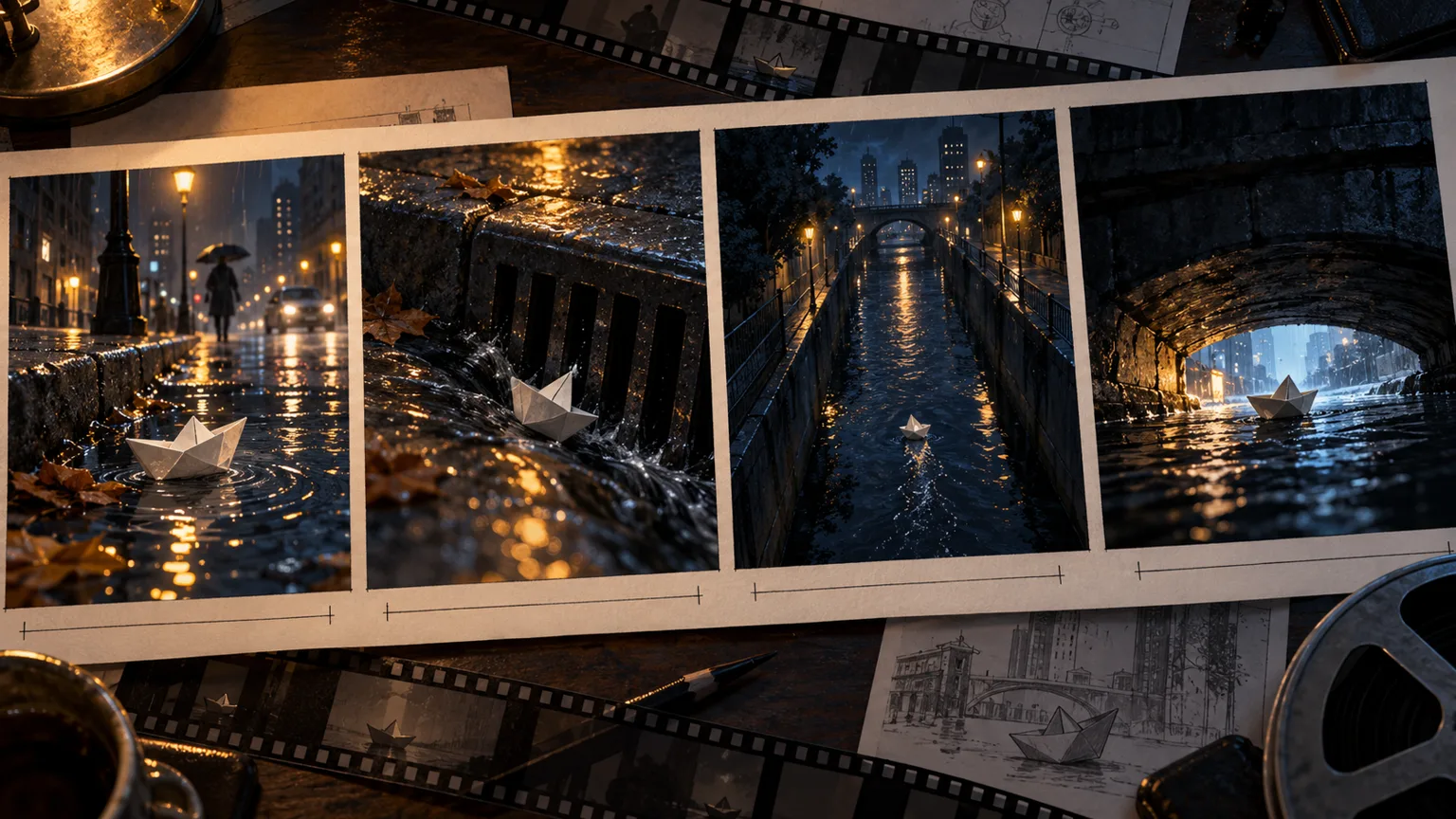
What the example makes
The workflow plans four shots and animates each keyframe into an eight-second video. That gives a nominal 32-second sequence after assembly, rather than one 32-second model generation. The distinction matters when budgeting attempts or changing one scene.
The shared TypeScript implementation uses separate models for separate jobs: grok-4.7 plans the story, grok-imagine-image-2.0 draws its frames, and grok-imagine-video-1.5 animates them at 720p. Text-to-speech supplies English narration. These are the identifiers in this example, not interchangeable names for every Imagine interface.
Think of the premise as a compact story problem. “An ivory paper boat leaves a puddle and reaches a canal at dawn” gives the planner a subject, movement, and destination. This is an editorial example, not a tested prompt. Before generating, decide which features make that boat recognizable and which locations should change.
Start the documented app
The example README requires Node.js 22.13 or later and an xAI API key. It reads XAI_API_KEY from the environment or the repository-root .env. Install ffmpeg if you want the combined film with mixed narration; individual assets remain useful when assembly is unavailable.
Clone the official cookbook, then run its example from the documented folder:
git clone https://github.com/xai-org/xai-cookbook.git
cd xai-cookbook/examples/storyboard-to-film/typescript
npm install
npm run web
Open http://localhost:3000, enter a premise, and choose Make film. These commands belong to the upstream example and use its package scripts. They do not install a Gvid feature.
For the documented terminal mode, use:
npm start -- "A paper boat finds its way from a rainy street to a quiet canal"
Both modes save artifacts under output/<title>/; terminal mode also writes an HTML viewer. Keep this folder when evaluating a result. The frames, separate clips, and narration let you identify whether a problem began in the image, animation, or audio stage.
Keep identity while changing the shot
The most useful design choice is how the example builds later keyframes. It generates the first image, then edits that first image for the remaining scenes. The reference anchors the subject and style, while the instruction explicitly changes the setting and viewpoint.
For your own shot plan, separate identity from composition. Identity might include the boat's ivory paper, folded shape, and red corner mark. Composition might progress from a wide curb view to a drain close-up, an overhead canal, and a low bridge view. Preserve the former while varying the latter.
This is a planning principle drawn from the code, not a guarantee of character consistency. Compare all four frames before treating them as a coherent sequence. Look for changed proportions, missing details, or four near-identical compositions. A continuous subject is useful only if the images also tell successive parts of the story. Our Grok Imagine prompt guide offers broader scene and motion examples.
Animation, narration, and assembly
The implementation submits image-to-video jobs and waits for completion before downloading each clip. It mixes narration over the clips' own sound and joins the scenes with ffmpeg. The mix lowers background audio to 0.3 and delays narration by 400 milliseconds; those are source settings, not a tested recommendation for every soundtrack.
Review three things independently: whether motion matches the shot, whether the spoken line fits, and whether the transition helps the story. A boat traveling rightward in one shot and abruptly leftward in the next may confuse viewers even when each clip looks convincing. Shorten the narration before speeding up a line that competes with the visual action.
Understand the budget and limits
The upstream README reports roughly $5 for its own run. The PR description gives $4.77 for images and videos in full tests and explicitly excludes planning and narration from that displayed subtotal. Those are author-reported figures, not a current quote or a Gvid test invoice. Check your account's current rates before running batches.
The four-shot example is a starting workflow, not evidence of unlimited single-pass duration or a production editing service. Its strongest lesson is the separation of decisions: plan the story, approve the subject reference, inspect each shot, then assemble. For a first evaluation, choose one simple subject and a small journey. Save the output, record actual spending, and decide which stage needs revision before paying for another full sequence.