
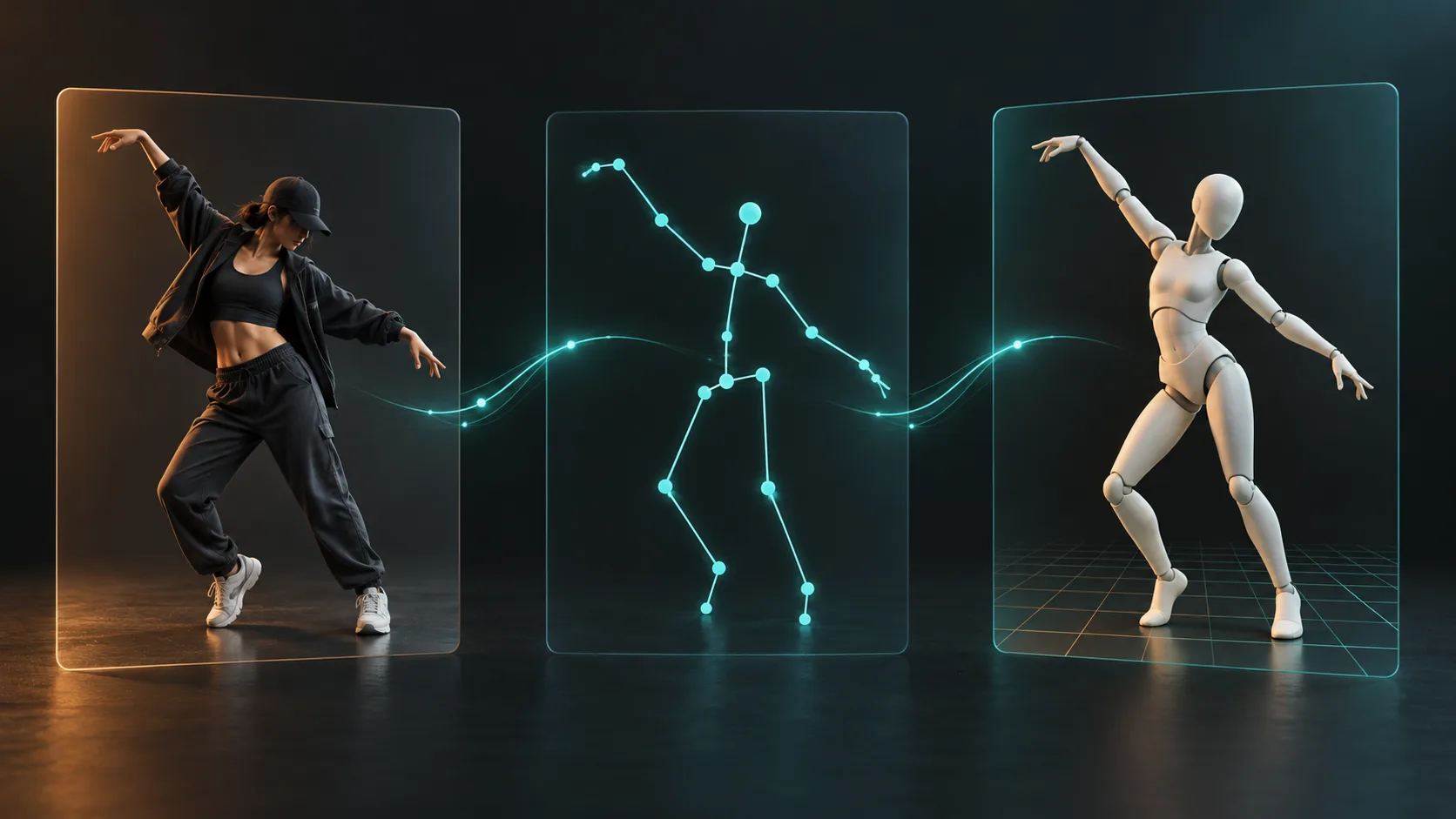
A Grok Imagine clip can be a motion reference for a 3D character. The useful question is how to carry an action from that clip into an editable animation, rather than simply play the video on a screen. Motion2MixamoRig is an experimental external tool for that job: it estimates human motion and transfers it to an existing Mixamo rig.
This article reviews public documentation on October 14, 2026. We have not run the conversion ourselves. It explains the documented pipeline and how to plan an initial experiment, without claiming measured accuracy or a working integration inside Gvid.
What changed in the community?
On October 13, MEBY reported using Motion2MixamoRig on Google Colab with a T4, comparing a Grok Imagine source clip with an animated X Bot character. A follow-up post described displaying the resulting animated GLB with Three.js.
These are demonstrations reported by one creator, not two independent tests. They nevertheless identify a practical use: an AI-generated action can become input to a separate character-animation pipeline. Game prototypes, browser scenes and animated avatars are plausible applications. Whether a particular action survives conversion still needs checking with the actual clip.
What does the tool produce?
The project README describes transferring motion onto an Adobe Mixamo-rigged character. Video runs produce preview clips and a skinned mixamo_character.glb, plus reusable skeleton_motion.npz and per-bone mixamo_rotations.npz data. A still image produces a static pose instead of a motion sequence.
This distinction helps set the goal. Supply a character you already have, then recover an action for it. Do not expect the process to reconstruct the source person's clothing, face, background or a complete 3D environment. For example, a generated dancer may provide a candidate dance motion for a robot avatar; the avatar remains the separate character asset.
Plan a source clip around readable movement
The project requires one clearly visible person with the whole body in frame. Its command-line checks reject unsuitable inputs before extraction and provide messages for missing assets.
For a first experiment, choose one action you can judge easily: a slow wave, a side step or a short turn. Our suggested starting prompt is below. It is an input-design example, not a tested recipe or a guarantee of clean motion recovery.
One adult person standing alone on a plain studio floor, full body visible from head to feet throughout. Fixed camera. The person slowly raises the right arm, waves once, lowers the arm and returns to the starting stance. Keep both legs, hands and feet visible. Simple fitted clothing, clear lighting, no other people, no cuts and no camera movement.A fixed view and an uncluttered silhouette make the result easier for you to inspect. That is a practical recommendation, not a published accuracy benchmark. Before conversion, watch for extra limbs, hidden feet, body parts changing shape and abrupt cuts. A cinematic clip may look convincing at normal playback while remaining a poor reference for judging a skeleton.
Use the Grok Imagine prompt guide if you need help describing the shot. Keep the generated MP4 and its prompt together so you can compare a later version against the same action.
Prepare the external pipeline
The package configuration requires Python 3.10 or newer and exposes the m2mr command. Follow the repository's installation instructions in a separate environment. Prepare the required body-model asset and a Mixamo FBX rig before treating setup as complete.
After installation, these commands illustrate the documented entry points:
m2mr doctor
m2mr run --video assets/video/wave.mp4 --rig assets/mixamo/Y_Bot.fbx
Replace the example paths with your files. doctor reports missing inputs and dependencies. The explicit --video and --rig options keep an experiment tied to the intended clip and character. For a different character using motion already extracted, the CLI also accepts --skeleton with the saved skeleton file; this avoids repeating extraction.
Keep a brief experiment record: source filename, character, command, environment and any visible errors. Change one input at a time. If a waving arm fails, first decide whether the error is already visible in the source clip, appears in recovered motion, or only appears after transfer to the rig.
Blender, browser playback and checking the result
The Blender extension documentation covers Blender 4.2 and later. The extension calls an external Python environment and imports the generated GLB; it does not install the whole pipeline for you. Its panel takes a source file and Mixamo rig, then exposes progress and logs. Generation can succeed even if automatic import fails, so check the output before rerunning everything.
For inspection, compare the source action with the character preview. Look at foot contact, arm direction, balance and timing, rather than judging only the character's appearance. Save a short list of mismatches. This gives you an acceptance criterion for the next attempt without pretending that a single successful import proves production quality.
MEBY's Three.js post is evidence of a community browser-playback experiment. It does not supply a complete browser application here. Start by validating the GLB in your chosen viewer before adding custom playback code.
What should you check before shipping?
The project's third-party notice distinguishes its code from separately licensed dependencies and assets. Review the current terms for the body model, inference weights and character assets for your intended use; the repository's code license alone does not answer all asset-use questions.
The next useful step is a small conversion experiment with one simple action and one rig. If the recovered movement is suitable, try a second character using the saved skeleton. Keep this workflow separate from video generation itself: Gvid does not currently provide a Motion2MixamoRig conversion feature, and an Imagine subscription does not install or operate the external tool.