
Grok Imagine keyframes let you describe a video with images at selected moments, rather than relying entirely on a motion prompt. The useful question is which part of your shot needs a visual anchor: its opening, an important middle beat, or its ending. This explainer separates those choices and offers an original planning example.
The request details below come from xAI documentation reviewed on October 23, 2026. This revision updates the reference-image limits and Vercel AI SDK support. We have not run the paid example or measured how closely generated motion follows the plan. Gvid does not currently expose this complete keyframe workflow.
What the API supports
On grok-imagine-video-1.5, the REST keyframes array accepts up to four interior anchors, each containing an image and timestamp_s. Times must be greater than zero and less than the clip duration. Anchors use a one-third-second grid; two that round to the same slot are rejected. Put endpoints in image and last_frame, rather than in that array. Classic grok-imagine-video rejects keyframes. These are documented model boundaries, not a claim about every Grok app control. xAI reference-to-video documentation.
A reference image guides appearance without fixing the opening frame. Reference-to-video supports up to 14 reference images on Video 1.5 and seven on classic Video; Video 1.5 supports up to 15 seconds at 720p. Current documentation also exposes Vercel AI SDK keyframes through providerOptions.xai.keyframes, using imageUrl and timestampSeconds; these options require @ai-sdk/xai 5.0.8 or later. The REST example below remains a separate request format. xAI reference-to-video documentation.
Choose the control that answers your problem
| Your creative problem | Control to investigate |
|---|---|
| The opening composition must be specific | First-frame input |
| A reveal needs a particular intermediate pose | Interior keyframe |
| The final image needs room for a headline | Last-frame input |
| A character or object should remain recognizable | Reference-image guidance |
For example, a product reveal can begin correctly but reach its most important pose too early. Adding more adjectives to the prompt does not express which image belongs at that moment. A middle anchor gives you a concrete target to evaluate. Conversely, a portrait reference does not explain where the camera should finish. Decide whether the problem is identity, composition, or timing before choosing an input.
Plan a simple shot before assembling the request
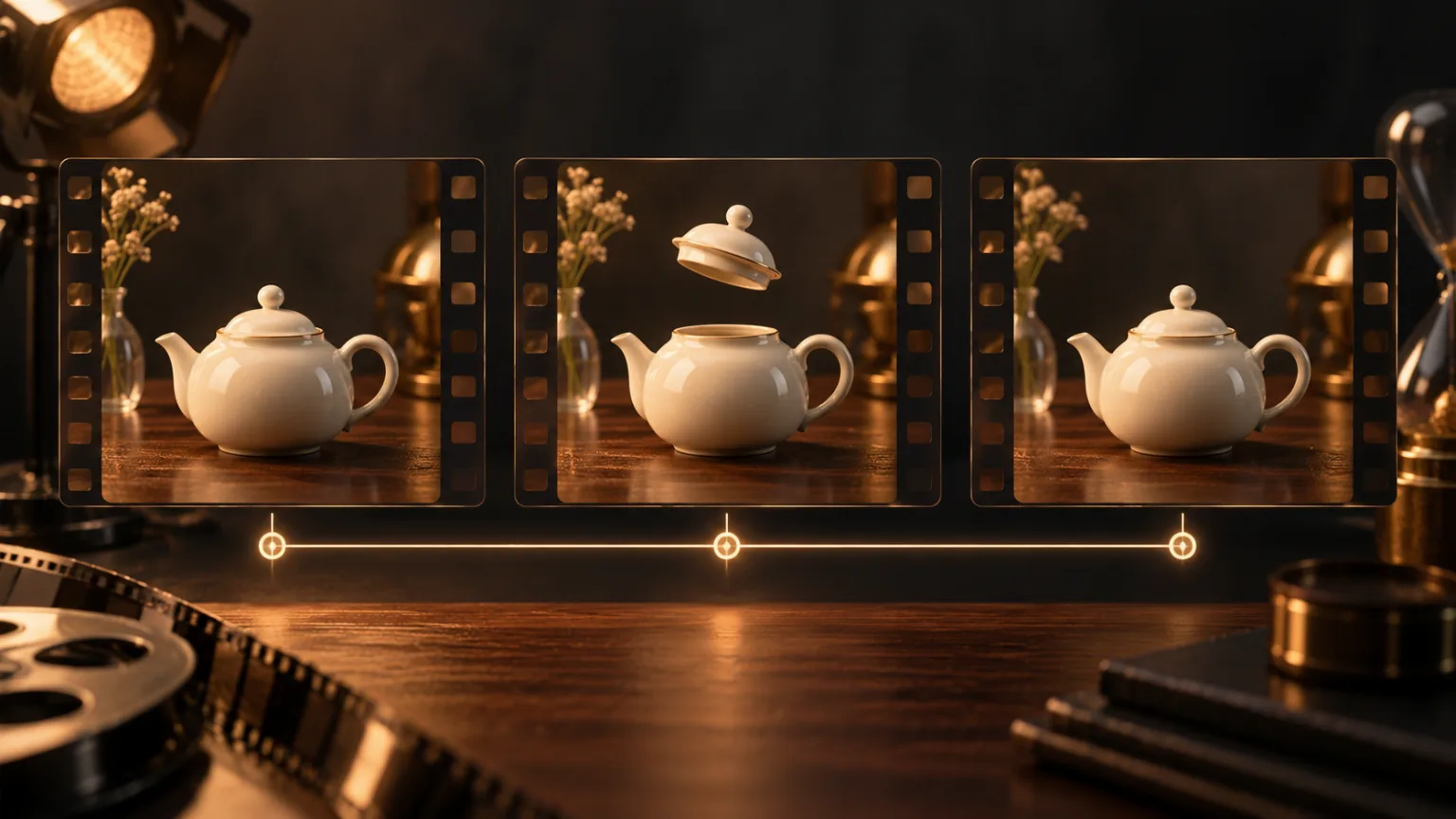
Consider an eight-second film of a ceramic teapot whose lid rises and settles. This is an editorial planning exercise, not a demonstrated output.
- Prepare an opening image with the lid closed and the pot centered on a table.
- Prepare a middle image showing the lid above the same pot, with the same handle, spout, background, and lighting.
- Prepare a closing image with the lid seated and the composition ready for your next edit.
- Place the middle beat at four seconds. Write a short motion instruction explaining the rise and return.
Keep the view fixed for this first experiment. A changing camera adds another thing to judge and can make it harder to see whether the pot's shape survives. Use a modest lid movement rather than a transformation into a different object. Start with one middle anchor so each added constraint has a clear purpose.
An original REST body following the documented field structure would look like this. Replace the illustrative URLs with your own accessible images; this is not an executable request by itself.
{
  "model": "grok-imagine-video-1.5",
  "prompt": "One continuous fixed-camera shot. The ceramic teapot lid rises gently, pauses above the pot, then settles. Preserve the pot, table and lighting.",
  "image": { "url": "https://example.com/teapot-start.png" },
  "keyframes": [
    {
      "image": { "url": "https://example.com/teapot-middle.png" },
      "timestamp_s": 4.0
    }
  ],
  "last_frame": { "url": "https://example.com/teapot-end.png" },
  "duration": 8,
  "aspect_ratio": "16:9",
  "resolution": "720p"
}
Submit a completed body to /v1/videos/generations, then poll /v1/videos/{request_id}. Generation is asynchronous; receiving an ID is not receiving a finished clip. The official generation examples show authentication, polling, completed results, and failure handling. Use those examples for the surrounding application code.
Review the motion between anchors
The images are your shot plan; the transitions still need review. Watch once for the intended action, once for object continuity, and once for pacing. At the middle beat, inspect the pot handle and lid separately. Between that beat and the ending, look for a sudden jump, an extra object, or an unplanned cut.
If the movement feels abrupt, first ask whether your three images describe compatible views. A wide opening, an extreme close-up in the middle, and a wide ending ask for a much larger visual journey than a gentle product animation. Make the frames agree before adding a longer prompt. If one transition remains weak, revise that pair of images while keeping the rest of your experiment unchanged.
For a character shot, write down the appearance details you will inspect before generating: clothing, hairstyle, face, and props. This turns “consistent enough” into a reviewable decision. Save the accepted inputs and the exact request alongside any output you choose to use.
When a multi-shot workflow is a better fit
An anchor inside one clip is different from a cut between independently generated scenes. If your story changes location, camera angle, and action together, plan separate shots instead of forcing every beat into one animation. The storyboard-to-film explainer discusses that broader assembly approach. For simpler motion language, use the Grok Imagine prompt guide.
Your next step is to choose one short shot and identify the single moment that is hardest to communicate in words. Build compatible images around that moment, check the current official request rules, and evaluate the result before expanding to a more complicated sequence.